Accessibility Features on Twitter (X)

Over the past years, Twitter (X) has introduced the ability to describe images, automatically generate captions for audio and video, and improve compatibility with screen readers. Accessibility is not a set of isolated features but a continuous quality of the platform. Therefore, alongside improvements, users and organizations regularly point out gaps that still require attention.
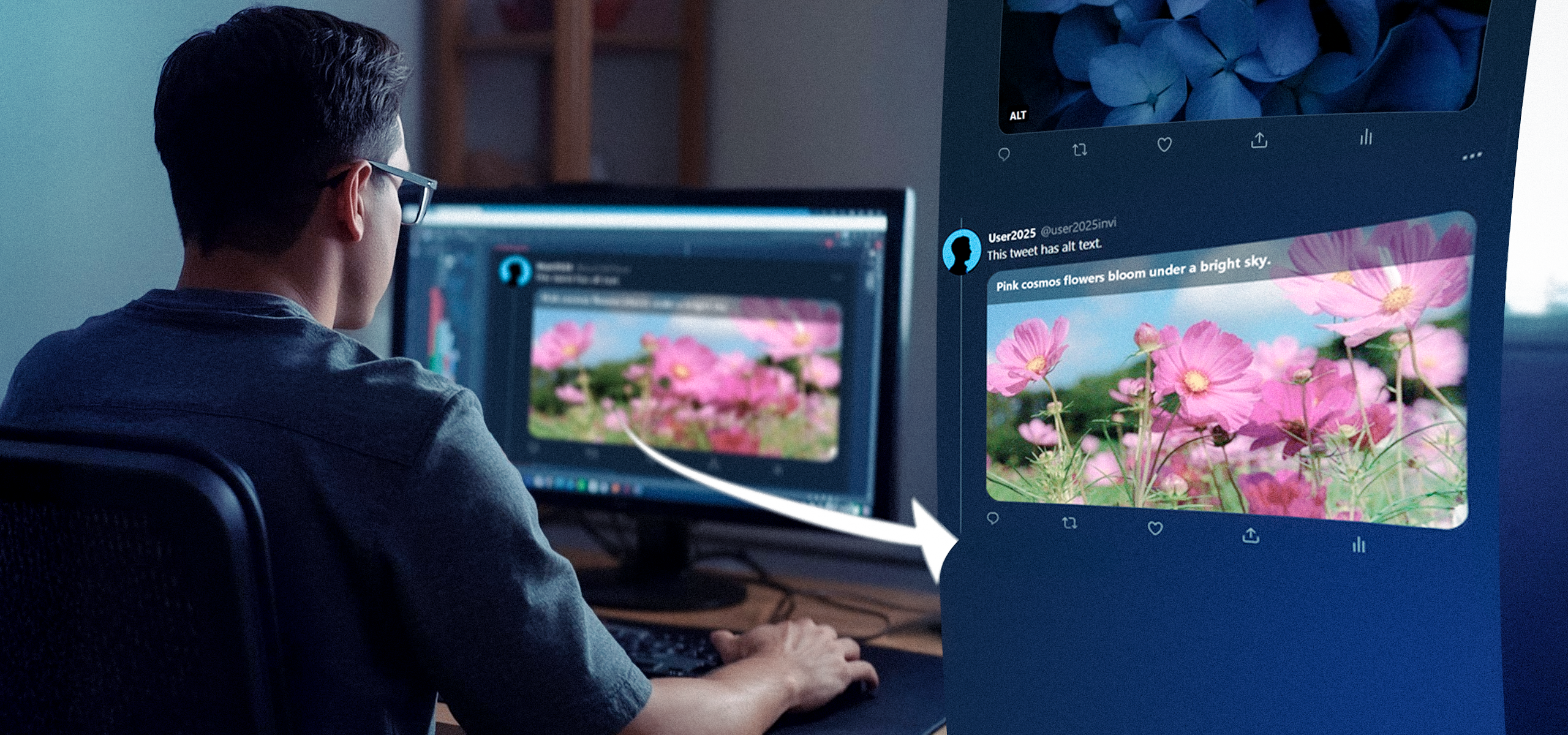
How Twitter (X) Became More Accessible for Blind Users
Before 2016, blind users could use Twitter (X), but this was largely due to the efforts of screen reader developers and the relative simplicity of the interface rather than systematic accessibility work by the platform itself. Since the mid-2010s, the platform has begun implementing targeted measures to improve accessibility.
2016 Alt Text for Images
In March 2016, Twitter (X) officially introduced the ability to add descriptions (alternative text) to images, which are read by screen readers. This is one of the most fundamental features for blind and visually impaired users. It allowed tweet authors to manually describe the content of images (up to several hundred characters).
2020 Voice Tweets
In 2020, Twitter (X) introduced the ability to record and publish voice tweets. This expanded the format of communication but simultaneously created the need for audio transcription for users who are deaf or hard of hearing.
2021 Automatic Captions and Labels for Voice Tweets
In 2021, Twitter (X) added automatic captions for videos and the ability to view automatically generated labels for voice tweets. The company used speech recognition technology to generate these captions (initially with limitations in quality and editing). This marked a step toward inclusion of people with hearing impairments and visually impaired users who benefit from text transcripts.
2021–2022 Alt-Text Reminders and Expansions; Accessibility Team
Twitter gradually expanded reminders encouraging users to add image descriptions, made these settings more visible in the interface, and officially formed an accessibility team responsible for ongoing improvements.
2023–2025 Development and Criticism
In recent years, the platform has continued to develop automation, including research and experiments in generating context-aware alt text for images. At the same time, some interface changes and business decisions have raised concerns among activists: even minor changes to the DOM structure, markup, and ARIA labels can negatively affect compatibility with screen readers.
In parallel, academic research and specialized conferences (in 2024 and earlier) have actively explored AI-based approaches to automatically generating higher-quality image descriptions.
Overall, by 2025, a basic set of accessibility tools for blind users is present on the platform. However, the quality of automatic descriptions and captions, as well as how consistently they are used, still varies significantly.
How Blind Users Can Use Twitter (X)
Screen Readers
The primary tool is a screen reader, which vocalizes the interface and tweet content. On iOS, VoiceOver is most commonly used; on Android, TalkBack; and on desktop, NVDA or JAWS. The platform must provide correct semantic structure (ARIA labels, focus order) for these readers to function properly.
Alternative Text for Images (Alt Text)
When creating a tweet, users should manually add an image description (via the “Add description” / “+ALT” button in the interface). This is the most reliable method, as automatic descriptions can be inaccurate.
If the author does not add a description, some services and experimental solutions attempt to generate alt text automatically. However, accuracy varies, so human-written descriptions remain preferable.
Captions and Audio/Video Transcripts
For videos and voice tweets, Twitter (X) has implemented automatic captions, which can be turned on or off in the tweet player. Recognition quality depends on language, accent, and recording clarity. If captions are important, users should check their availability and readability.
Keyboard Navigation and Simplified Interfaces
Navigating the feed using a keyboard and shortcut keys is convenient for users who do not use a mouse. A logical focus order and clearly labeled buttons are critical. Twitter (X) publishes recommendations and an accessibility features page describing which elements are supported.
External Tools and Services
There are bots and services that help transcribe audio or generate descriptions, but their use requires caution due to privacy and accuracy concerns. At the research level, AI solutions aimed at improving alt-text quality are actively being developed.
Practical Tips for Blind Users
- Enable accessibility-related options in Twitter (X) settings (such as composing image descriptions).
- Ask authors to add image descriptions or short explanatory text under photos.
- Use screen reader settings and system features (speech rate, focus management).
- If automatic captions are available, rely on them cautiously and keep speech recognition limitations in mind.
What Does Twitter (X) Plan for the Future?
There is a dedicated team working on accessibility. They regularly update documentation, guidelines, and FAQs to make the service easier to use for people with different abilities. Based on announcements and industry research, the main development directions include improving automatic captions and alt text using AI, ensuring more reliable interface semantics for screen readers, and promoting practices that encourage users to add descriptions manually.
The implementation of such technologies requires caution: automatic descriptions should not replace human-written ones until recognition and interpretation quality becomes sufficiently high.